How can I search my existing legal research?
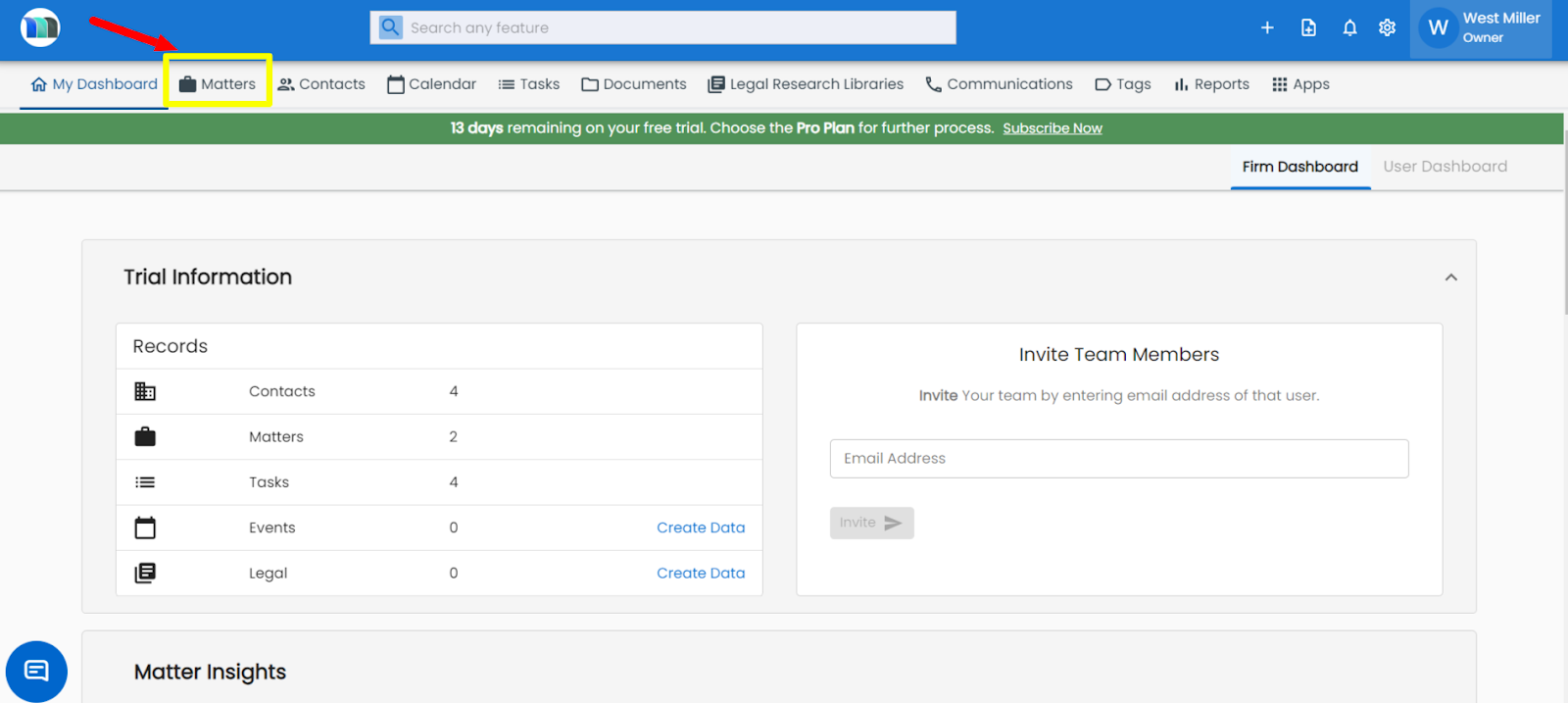
1. Click on the Matters tab present on the nap bar.
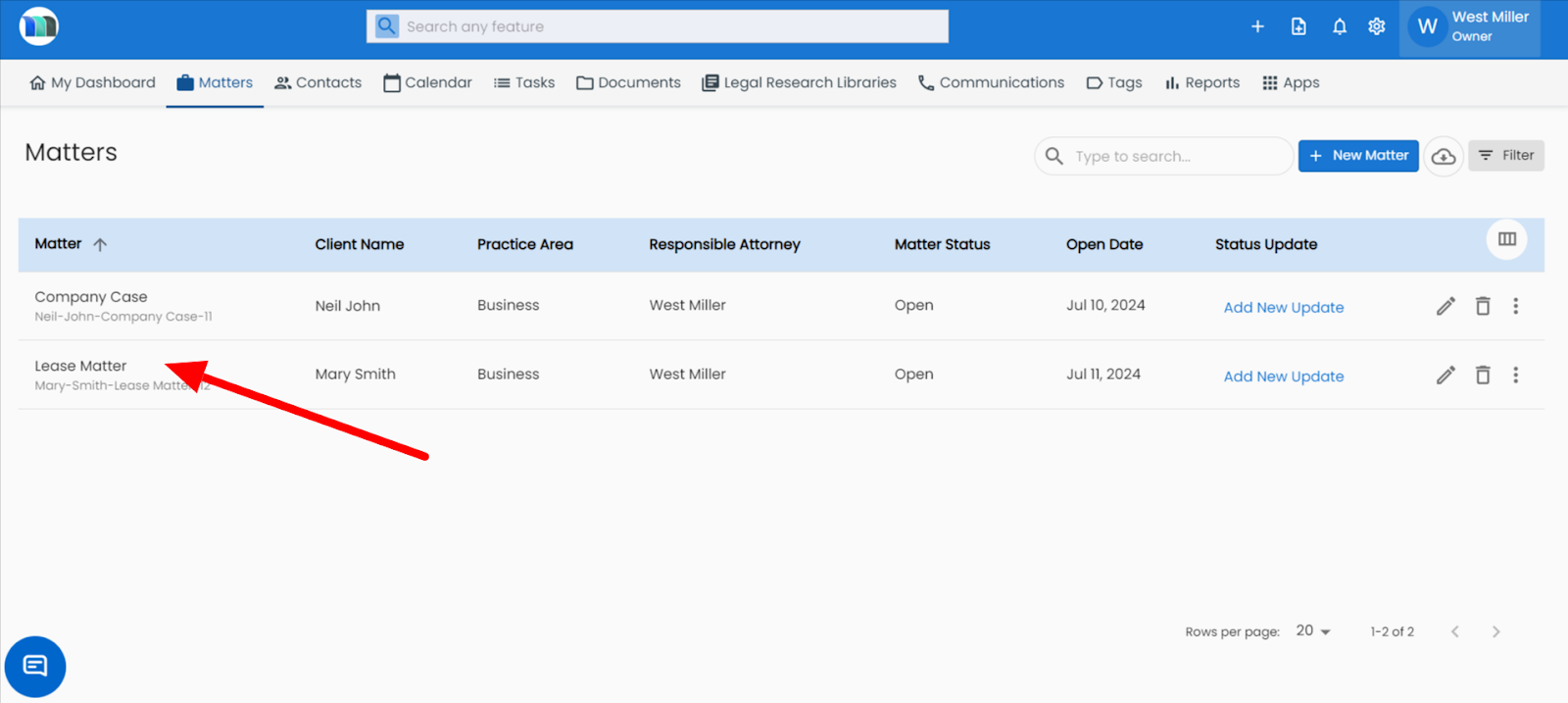
2. Select the matter for which you want to search the legal research.
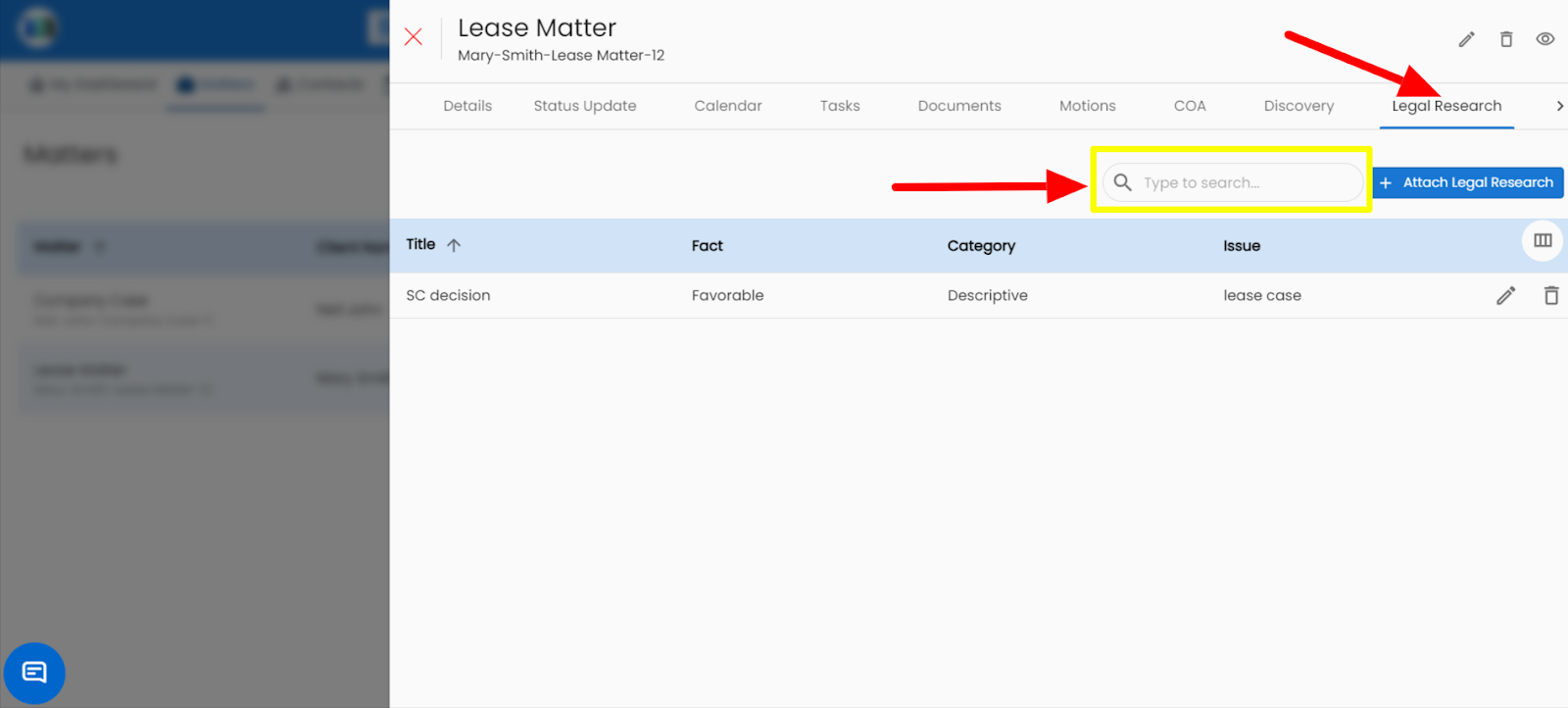
3. Click on the Legal Research tab, and click on a search box, and enter the name of the legal research that you want to search.
Related Articles
How can I delete the existing legal research?
1. Click on the Matters tab present on the nap bar. 2. Select the matter for which you want to delete the legal research. 3. Click on the Legal Research tab, appearing on the right side of your screen. 4. Click on the delete icon appearing on the ...How can I add personal notes in legal research in the matter module?
1. Click on the Matters tab present on the nap bar. 2. Select the matter for which you want to delete the legal research. 3. Click on the Legal Research tab, appearing on the right side of your screen. 4. Click on the + Attach Legal Research button ...Legal Research – Conduct Smarter Legal Analysis
The AI Legal Research feature helps you quickly find relevant laws, precedents, and commentary on any legal topic How to Use: Click on “Legal Research” under Ask MatterSuite AI. Type your query — e.g., “Civil litigation process in California” or ...How can I attach legal research to a matter?
Steps for attaching legal research to a matter in MatterSuite legal software: Click on Matter > Case > Legal Research > Add Legal Research. 1. Click on the Matters tab present on the nap bar. 2. Select the matter for which you want to add the legal ...How do I search for a specific ledger entry using the search bar?
On the Ledger page, click into the Search field. Type a date, description, invoice number, or amount. Results will filter automatically as you type.