How to add a motion in Matter?
1. Click on the Matters tab present on the nap bar.
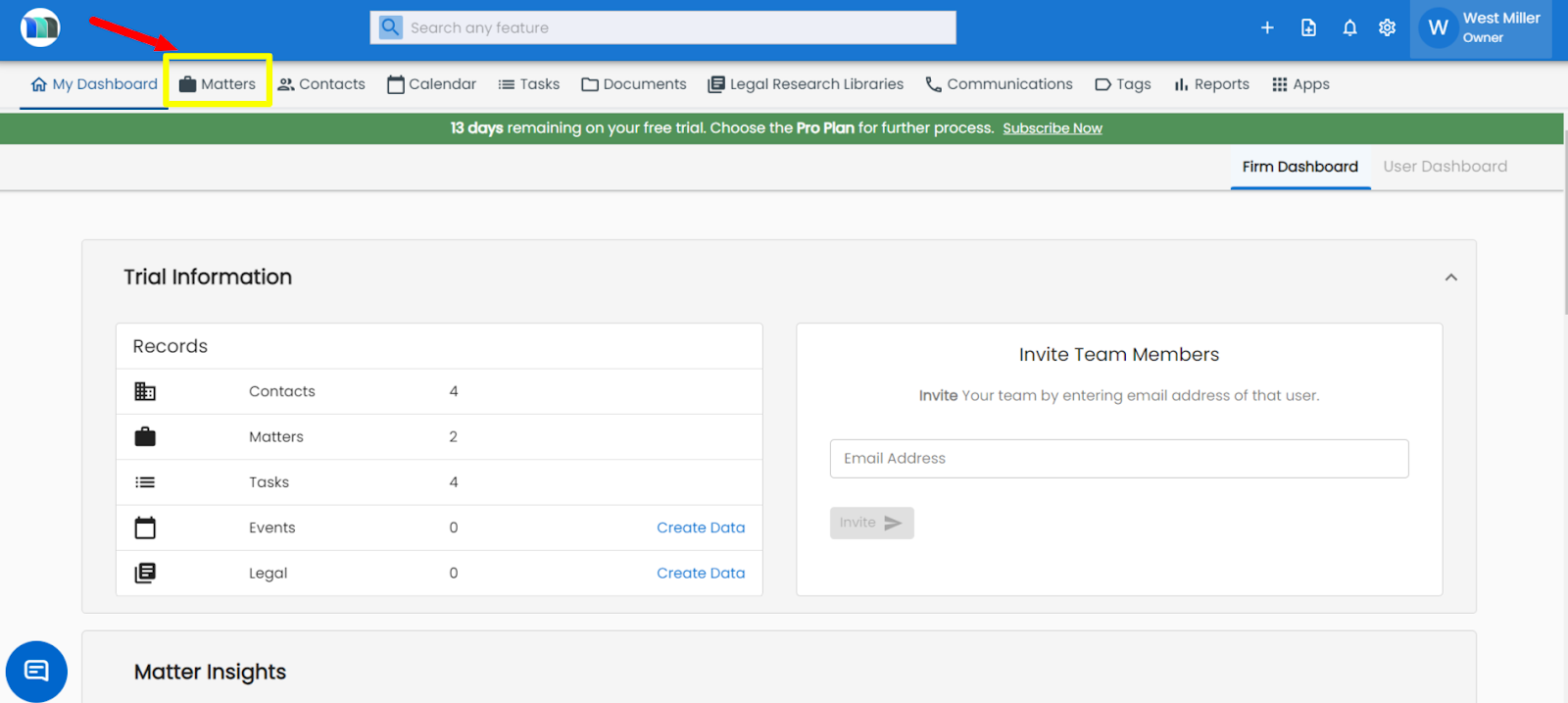
2. Select the matter for which you want to add a legal motion.
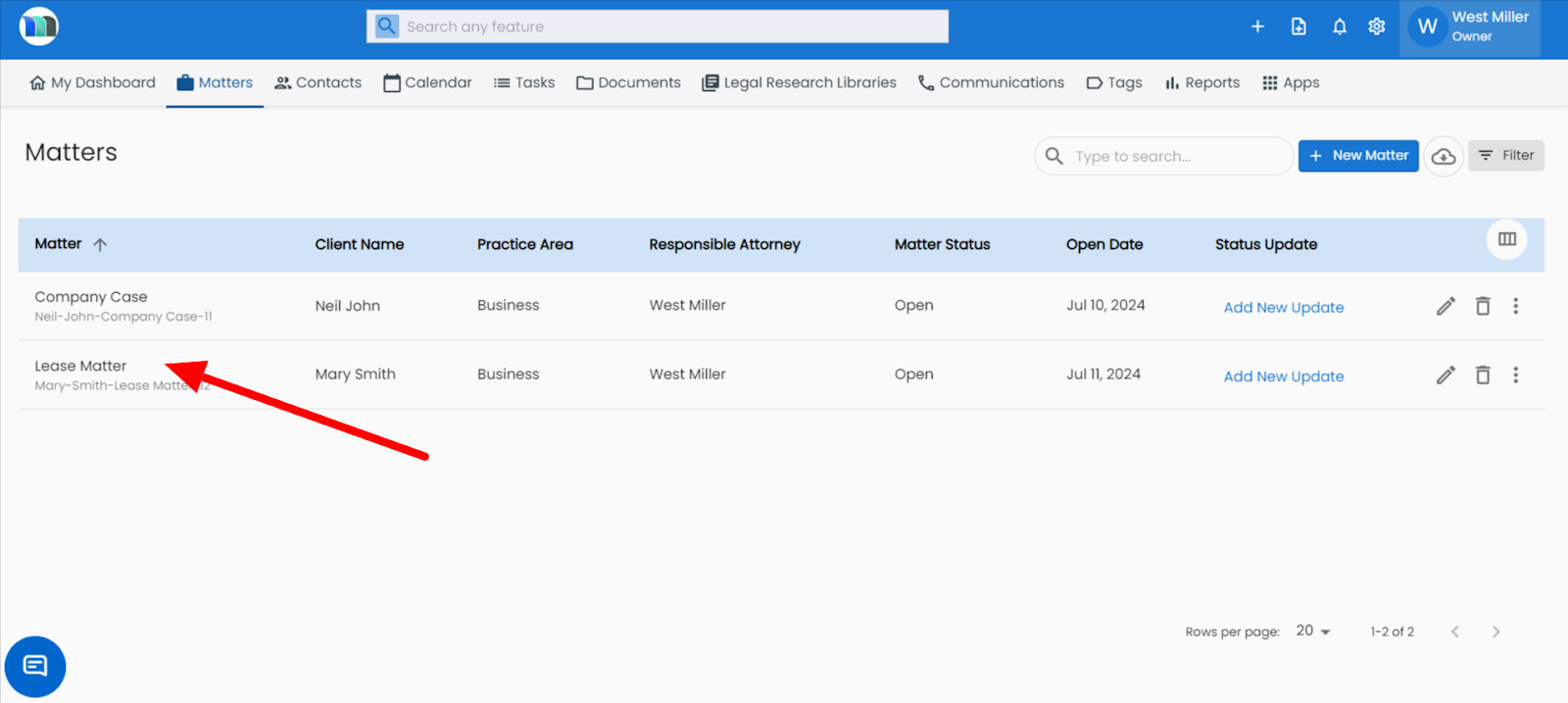
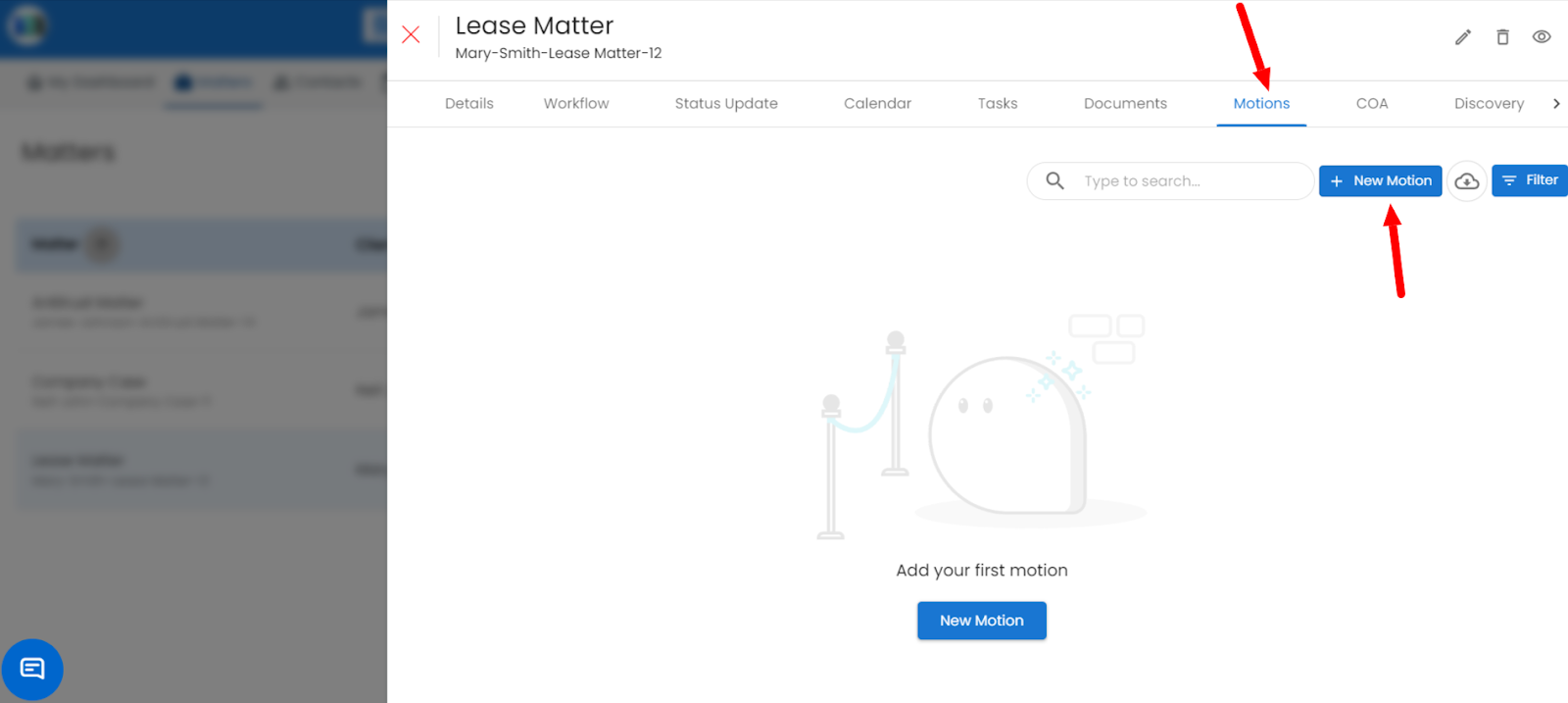
3. Click on Motions tab, then click on the "+New Motion" button to add a motion.
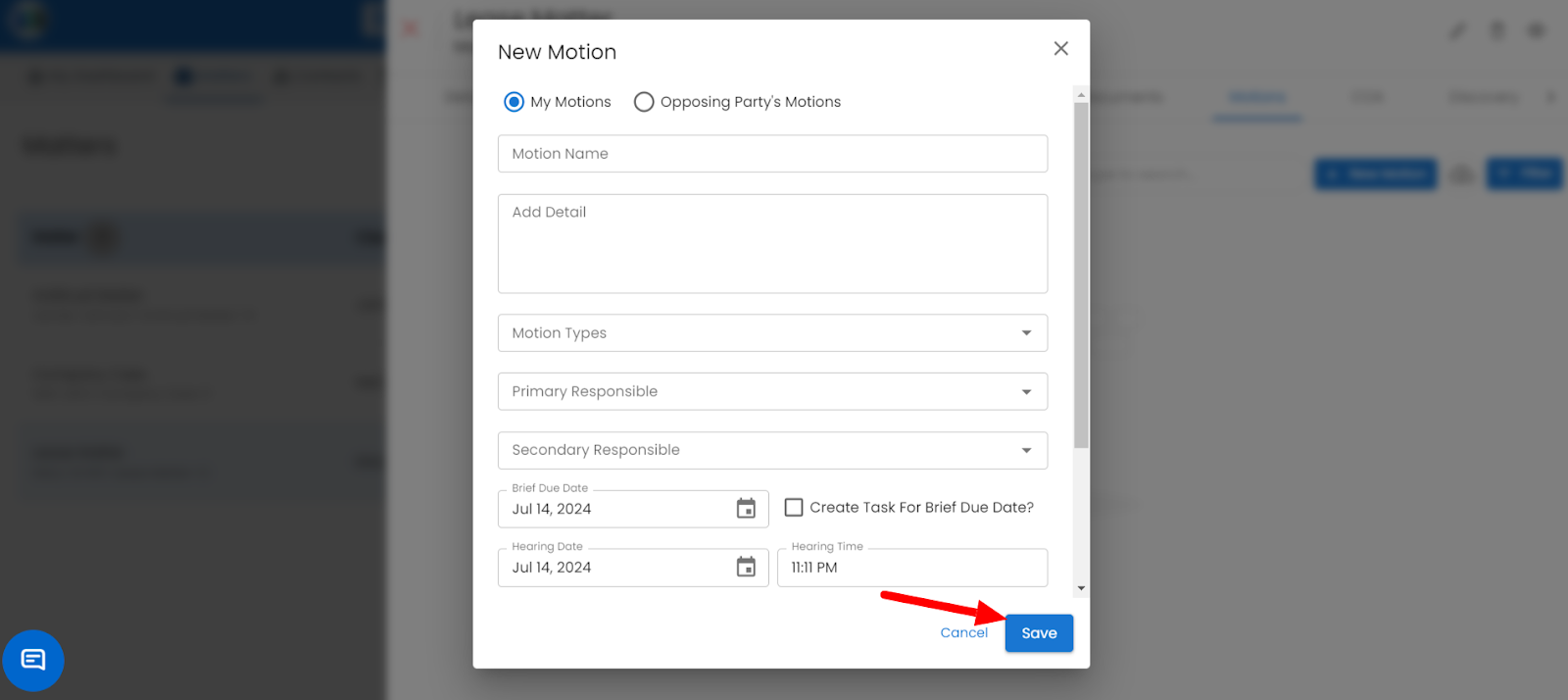
4. Fill in the required details and click on the Save button.
Related Articles
How to add a new motion in the Matter?
Go to the Matters section. Select the Matter where you want to add the motion. Open the LawSuite tab and click on the Motions section. Choose your motion type, fill in the details, and click Save. Refer to the image below .How can I add documents related to the particular motion?
1. Click on the Matters tab present on the nap bar. 2. Click on the matter in which you want to add documents in a Motion. 3. Click on the Motions tab. A) Adding a document while adding a new motion: Click on the + New Motion button upload the ...How can I add or update the brief details about the opposing party's motion?
1. Click on the Matters tab present on the nap bar. 2. Click on the matter that contains the motion for which you want to add or edit the opposing party's motion brief. 3. Click on the Motions tab, then click on the + New Motion button. 4. A New ...Where can I add or update details in brief about the motion?
1. Click on the Matters tab present on the nap bar. 2. Click on the matter that contains the motion whose brief you want to add or update. 3. Click on the Motions tab, then click on the motion whose briefs you want to add or update. 4. A box will ...How to add a new cause of action in Matter?
Go to the Matters section. Select the Matter where you want to add the motion. Open the LawSuite tab and click on the Cause of Action section. Choose your complaint title, fill in the details, and click Save. Refer to the image below