How to create a custom document folder in MatterSuite?
Yes, you can create a custom Folder.
1. Go to the Documents tab.
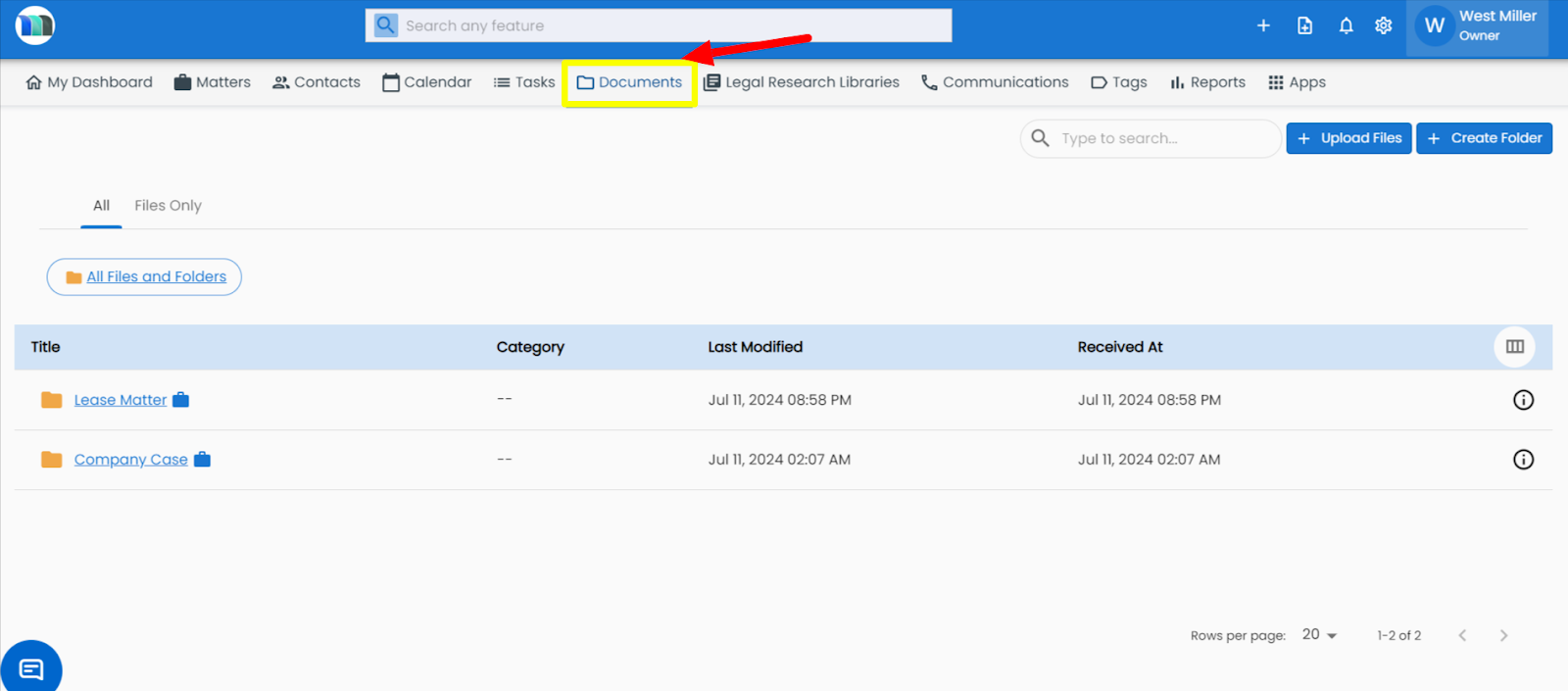
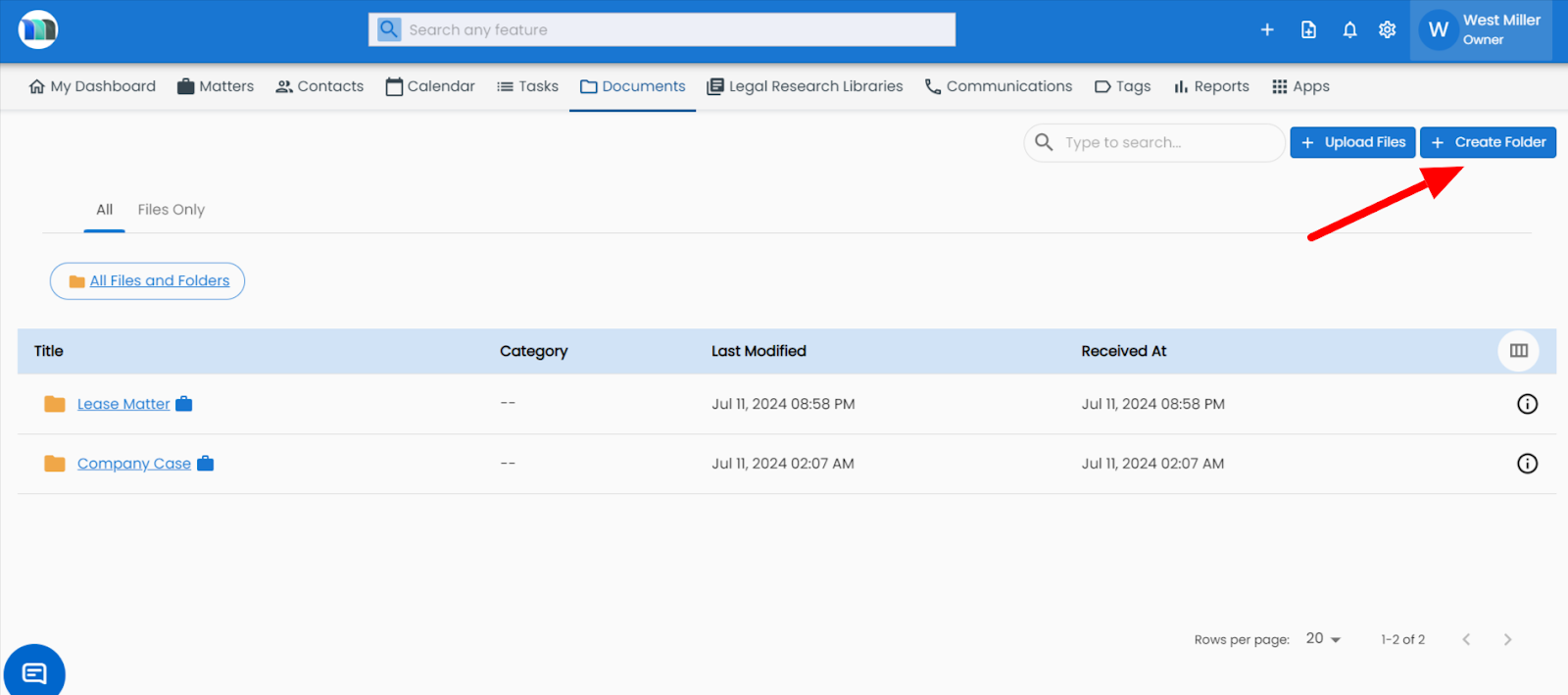
2. Click on the Create Folder button.
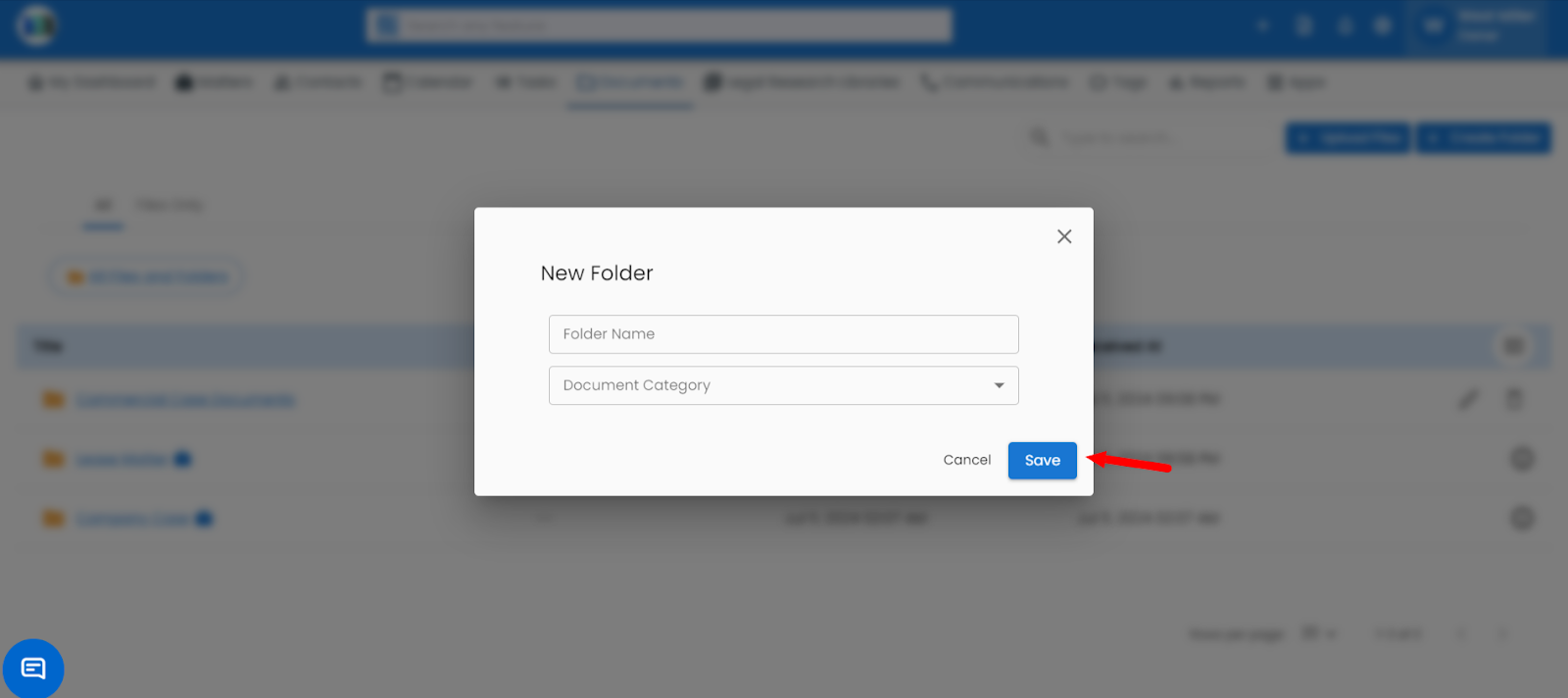
3 - A window will open. Fill in the Folder Name, select the Document Category, and click the Save button. A new custom document folder will be created. You can attach documents to this folder by selecting it.
Related Articles
How to create a custom document folder in matter module?
1. Click on the Matters tab present on the nap bar. 2. Select a matter in which you want to create a document folder. 3. Go to the Documents tab, and then click on "+Create Folder" present on the right-hand side. 4. Add a Folder Name and select a ...How can I create a document using a template?
Go to the Documents tab. Click Create From Template. Select your template from the list and confirm. Save the document with a name.How to create a new folder?
Go to the Document section. 2. Click on Create Folder. 3. Select the document category and folder name. 4. Click the Save button.How to access reports in Mattersuite.
Overview:- MatterSuite’s custom reports make it easy to understand how your firm is performing, all in one place. You can quickly see updates on matters, clients, team activity, tasks, and events using simple date-based filters. Time and expense ...Getting Started: How to Register in MatterSuite
Follow these essential steps to register your account in MatterSuite. Completing the setup process will allow you to access your workspace and begin using the platform. Go to the - www.mattersuite.com Click on Get Started. Enter your working email ...