How to edit the name of the matter?
1. Click on the Matters tab present on the nap bar.
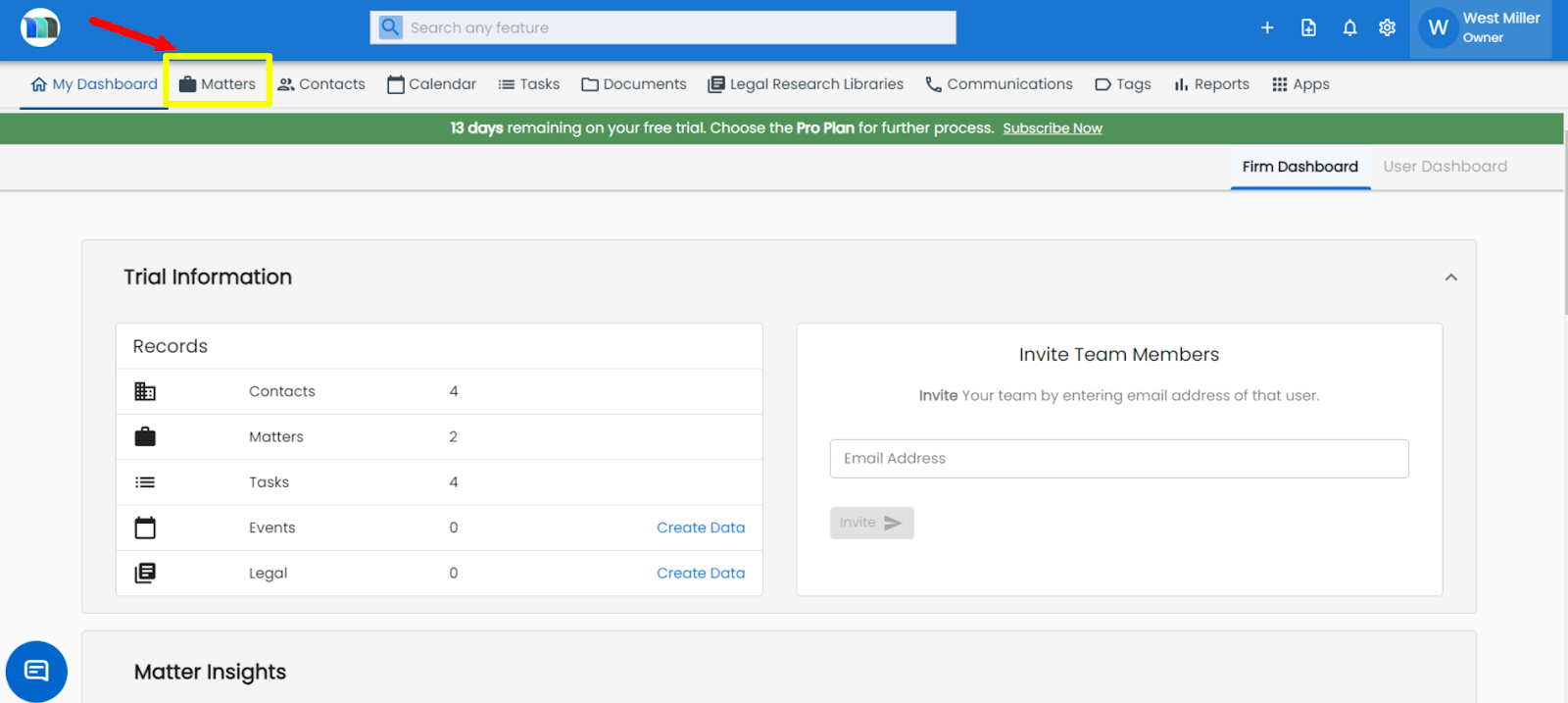
2. Select the matter for which you want to edit the name.
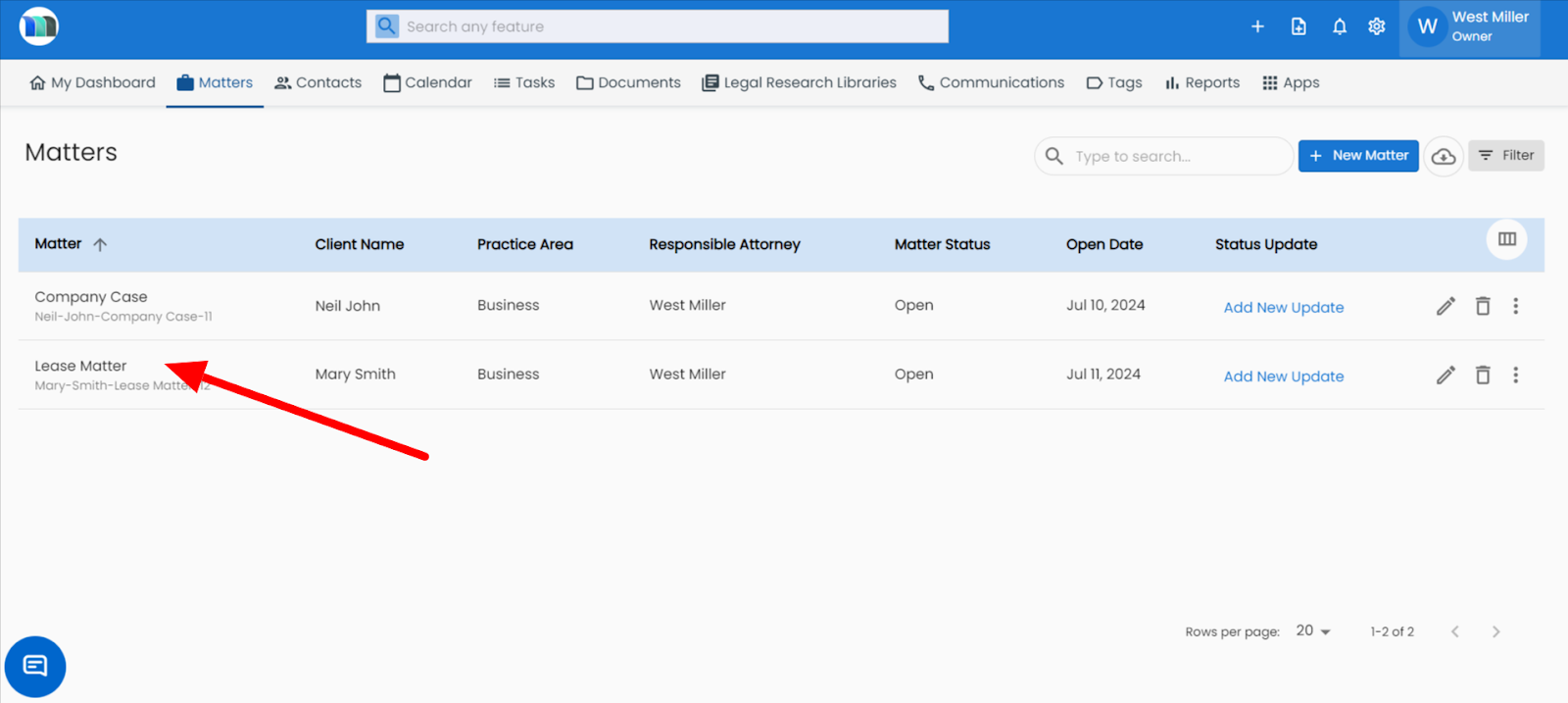
3. Click on the pencil icon present on the right-hand side.

4. Update the matter title/name, then click on the Save button.

Related Articles
How I can change the name of an existing matter?
1. Click on the Matters tab present on the nap bar. 2. Select the matter for which you want to edit the name. 3. Click on the pencil icon present on the right-hand side. 4. Update the matter title/name, then click on the Save button.How can I edit the document title?
1. Click on the Matters tab present on the nap bar. 2. Select a matter in which you want to edit the document title. 3. Go to Documents tab and then click on the pencil icon of the document you wish to edit. Update the name and then click on the Save ...How to update or replace a document with another in Matter?
1. Click on the Matters tab present on the nap bar. 2. Select a matter in which you want to update or replace the document. 3. Click on the Documents tab appearing on the panel and then click on the file or document that you want replace. 4. Then in ...How do I edit a task?
Open the Tasks module. Locate the task you want to edit (use search or filters by status, priority, or assignee). Click the task title or the Edit icon next to it. Make the necessary changes (title, description, due date, priority, assignee, or ...How can I add personal notes in legal research in the matter module?
1. Click on the Matters tab present on the nap bar. 2. Select the matter for which you want to delete the legal research. 3. Click on the Legal Research tab, appearing on the right side of your screen. 4. Click on the + Attach Legal Research button ...