How can I attach my previous legal research to this case?
1. Click on the Matters tab present on the nap bar.
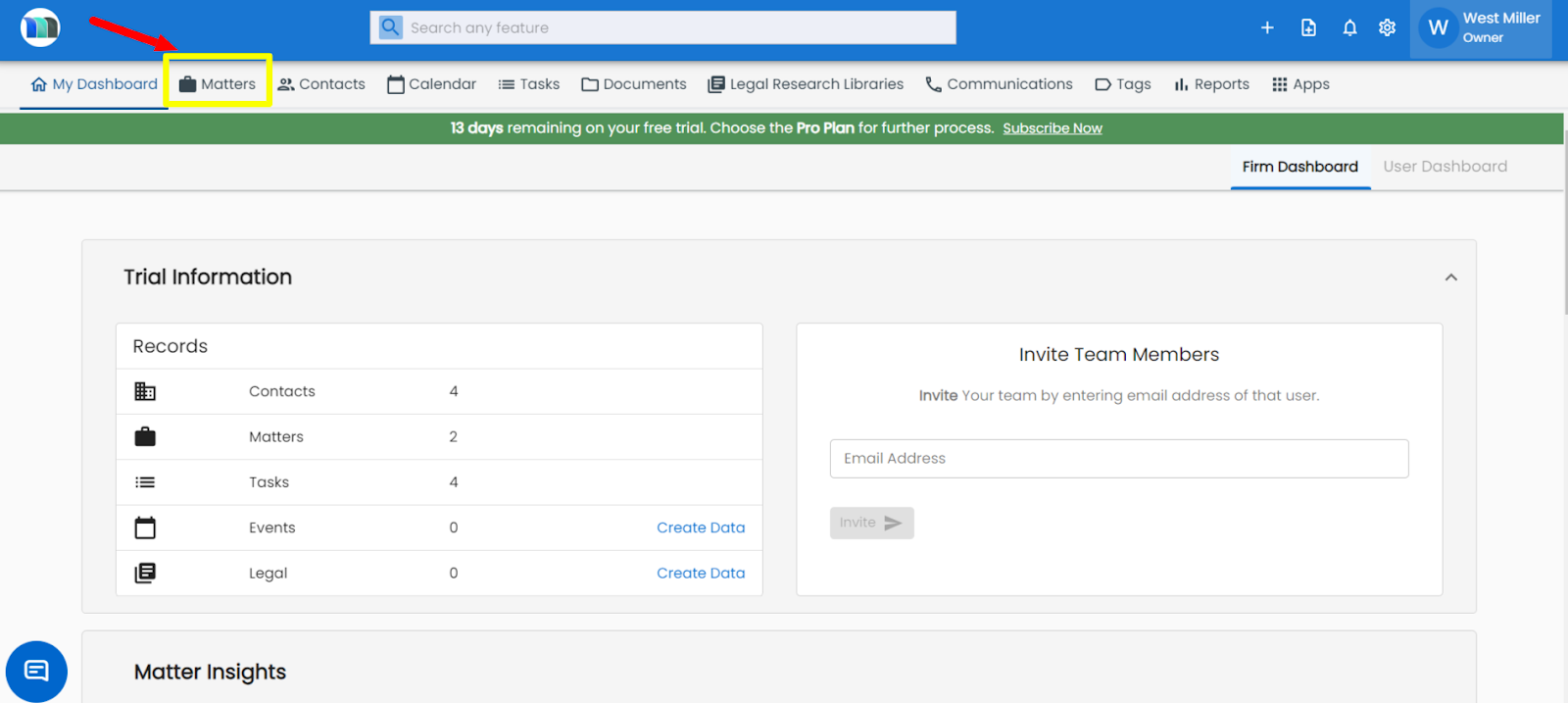
2. Select the matter for which you want to add the legal research.
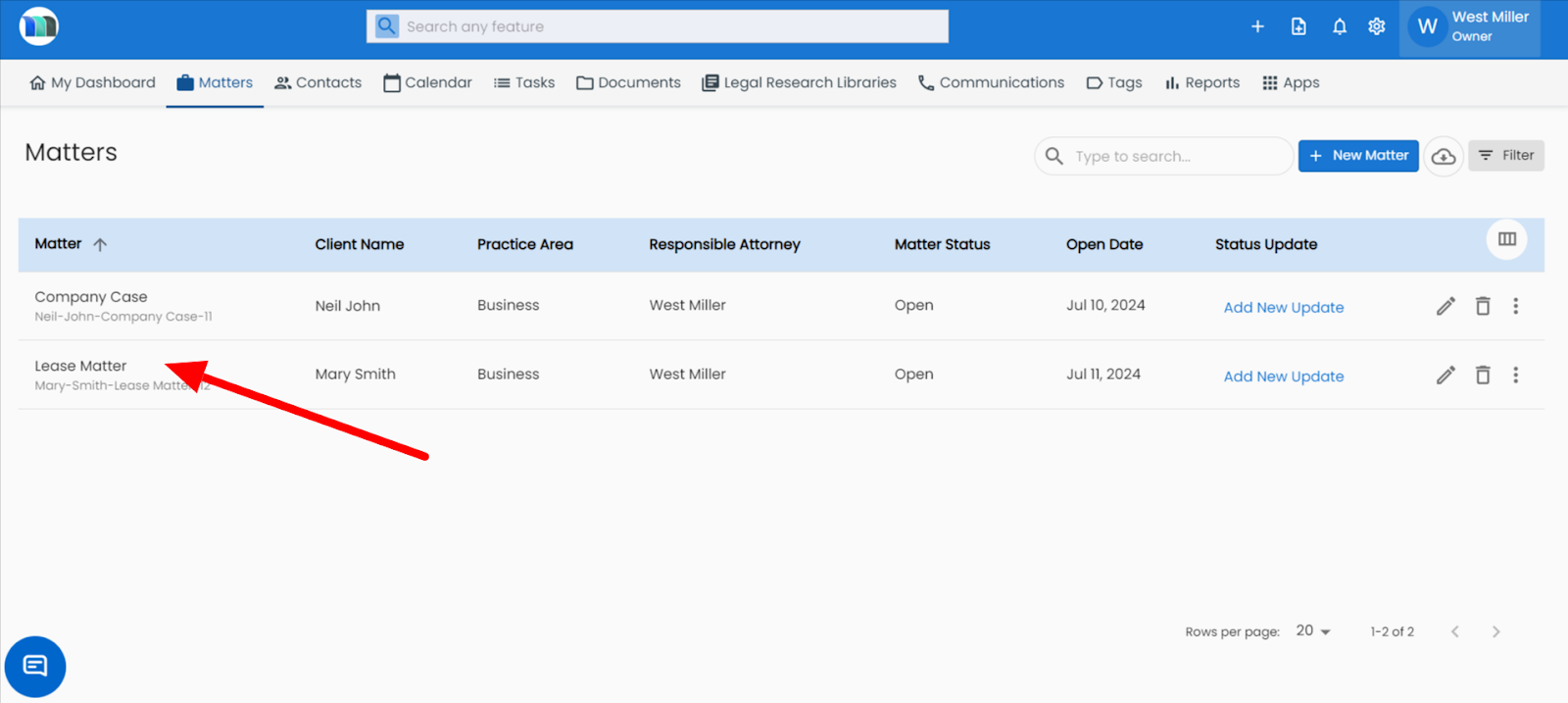
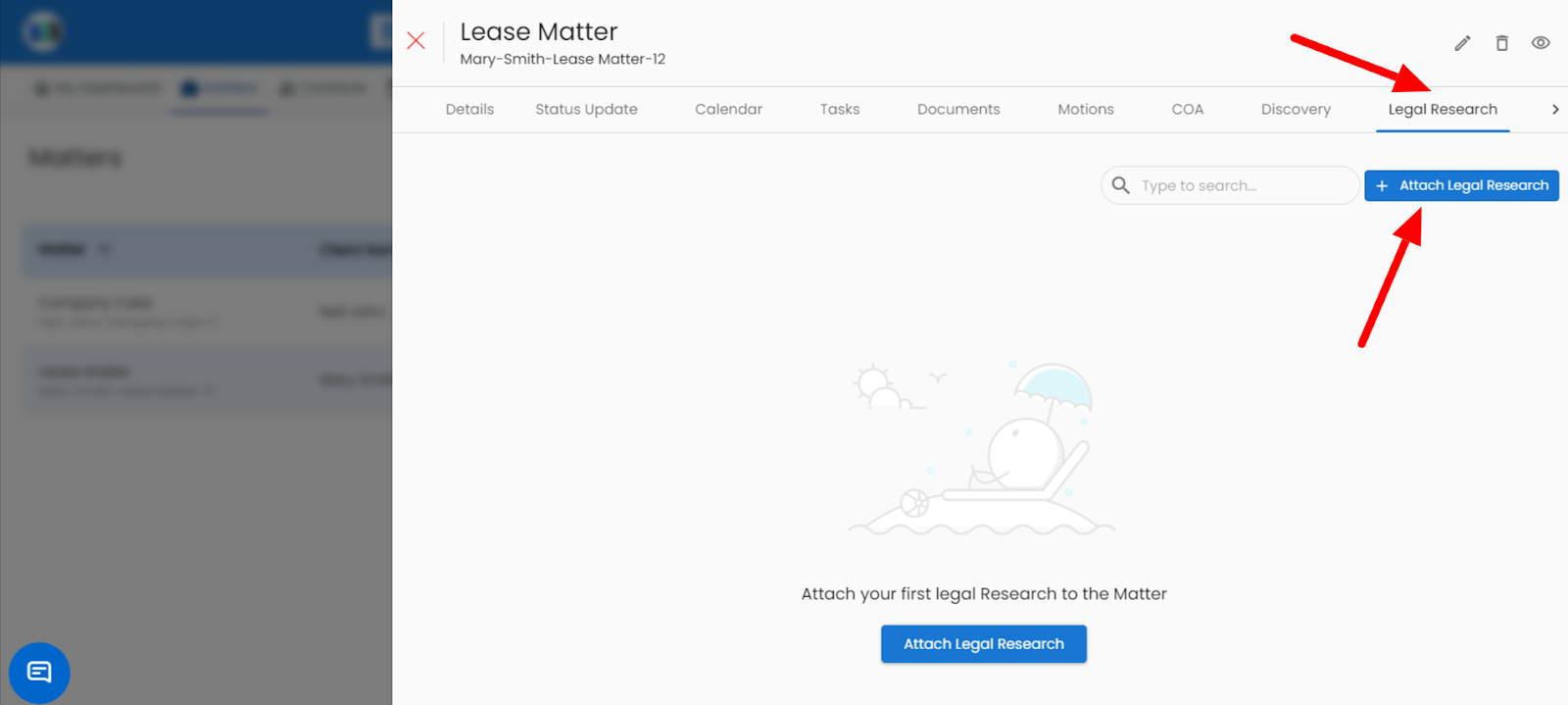
3. Go to the Legal Research tab and click on the Attach Legal Research button.
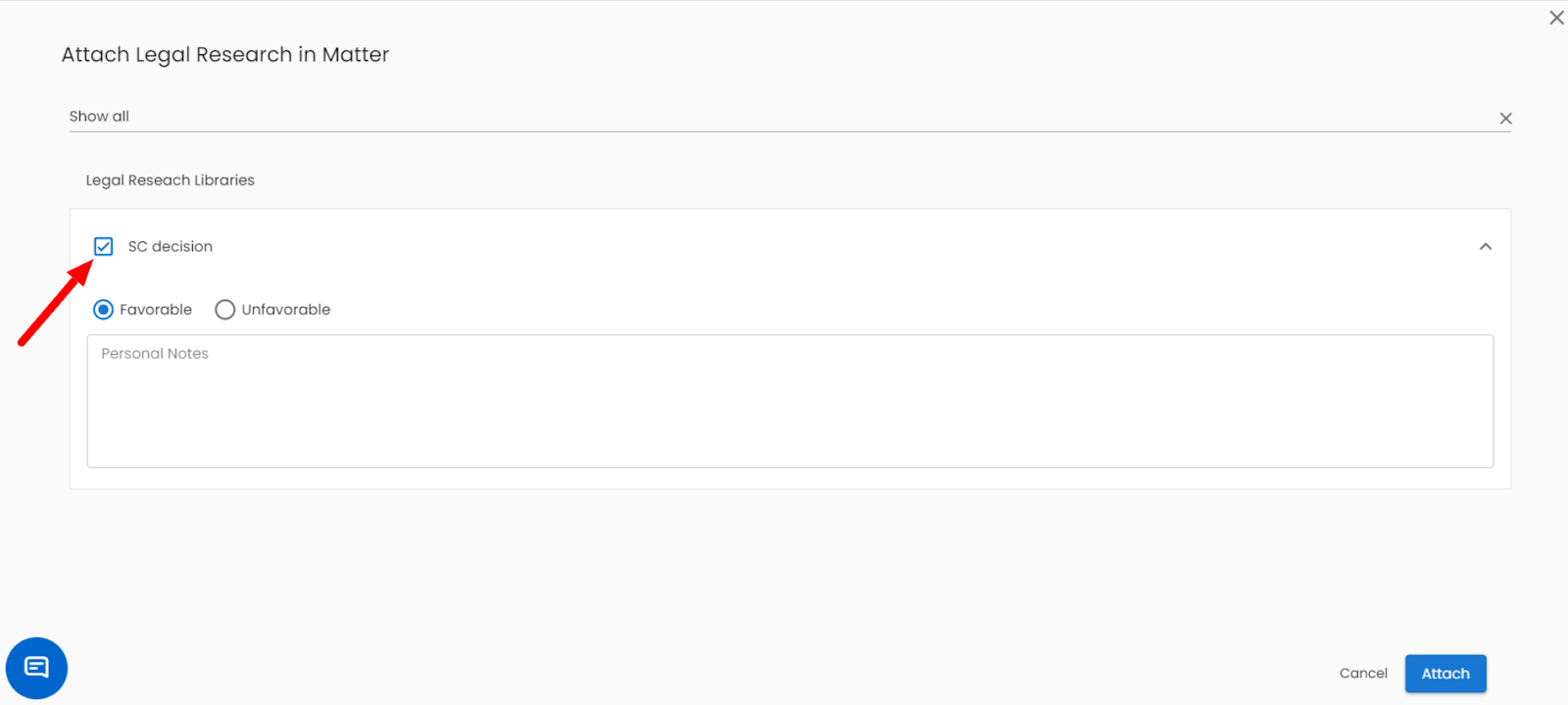
4. Select the legal research from the case and click on the attach button.
Related Articles
How can I attach legal research to a matter?
Steps for attaching legal research to a matter in MatterSuite legal software: Click on Matter > Case > Legal Research > Add Legal Research. 1. Click on the Matters tab present on the nap bar. 2. Select the matter for which you want to add the legal ...How to mark legal research as favorable or unfavorable?
1. Click on the Matters tab present on the nap bar. 2. Select the matter for which you want to mark legal research fact/evidence as favorable or unfavorable. 3. Go to the Legal Research tab and click on the Attach Legal Research button. 4. Click on ...Legal Research – Conduct Smarter Legal Analysis
The AI Legal Research feature helps you quickly find relevant laws, precedents, and commentary on any legal topic How to Use: Click on “Legal Research” under Ask MatterSuite AI. Type your query — e.g., “Civil litigation process in California” or ...Sharing a Matter with External Legal Professionals (Co-Counsel Guide)
A Co-Counsel is an external legal professional, such as an outside attorney or a specialized expert, that you bring into a specific matter to work alongside you. They only get controlled access to the documents, tasks, and information you choose to ...How can I add personal notes in legal research in the matter module?
1. Click on the Matters tab present on the nap bar. 2. Select the matter for which you want to delete the legal research. 3. Click on the Legal Research tab, appearing on the right side of your screen. 4. Click on the + Attach Legal Research button ...